
TL;DR:
- Many New Jersey residents discover insurance gaps only during medical visits or billing.
- Checking coverage via insurer portals and confirming with providers prevents unexpected costs.
- Finding in-network primary care involves using insurer tools, calling offices, and verifying coverage details.
Many New Jersey residents don't realize there are gaps in their health insurance coverage until they're sitting in a waiting room or facing an unexpected medical bill. By then, the confusion and stress are already there. If you live in North Bergen or Secaucus, understanding your insurance status before you need care is one of the most practical things you can do for your health and your wallet. This guide walks you through every step, from gathering your documents to finding a local in-network doctor, so you can move forward with confidence and clarity.
Table of Contents
- What you need before you start: Insurance and eligibility essentials
- Step-by-step: How to check your health insurance coverage
- Finding in-network primary care: Tools, tips, and local resources
- Renewing, updating, and troubleshooting insurance coverage
- A local perspective: What most insurance guides miss for NJ residents
- Connect with primary care services in North Bergen and Secaucus
- Frequently asked questions
Key Takeaways
| Point | Details |
|---|---|
| Prepare documents and tools | Gather key insurance info, ID cards, and portal access to check coverage easily. |
| Use official portals or hotlines | Verify your coverage by logging into your insurer's website or app, or by calling member services directly. |
| Confirm provider network status | Double-check with the provider and insurer that your doctor is in-network and accepting new patients for your plan. |
| Stay ahead with renewals | Renew your coverage annually and update personal information to maintain uninterrupted insurance and access to care. |
What you need before you start: Insurance and eligibility essentials
Now that you know the importance of insurance clarity, let's get organized with the essentials you'll need. The first thing to recognize is that not all health insurance works the same way. Your plan type shapes everything, from how you find a doctor to what you pay out of pocket.
Here are the main plan types you may have as a New Jersey resident:
- Employer-sponsored insurance: Provided through your job. Your HR department is your first point of contact.
- Individual or family plans: Purchased on your own, often through the state Marketplace.
- Marketplace plans (GetCoveredNJ): New Jersey's official health insurance exchange for individuals and families who don't have employer coverage.
- NJ FamilyCare (Medicaid): Free or low-cost coverage for qualifying residents based on income and household size. NJ Medicaid eligibility screening is available through NJ DHS or GetCoveredNJ.
- Medicare: Federal coverage for residents 65 and older, or those with certain disabilities.
Before you check anything, gather these documents:
- Your insurance ID card (front and back)
- Your plan or member ID number
- Your Social Security number (required for Medicaid and some Marketplace verifications)
- Access to your insurer's online portal or mobile app
The insurer's member portal or app is the primary method to check your health insurance coverage in New Jersey. Major insurers like Aetna Better Health, Horizon Blue Cross Blue Shield, and UnitedHealthcare all offer online portals where you can view your coverage details, ID cards, and benefit summaries.
| Insurer | Portal/App Access | Key Features |
|---|---|---|
| Aetna Better Health NJ | aetnabetterhealth.com | Benefits, claims, provider search |
| Horizon Blue Cross Blue Shield | horizonblue.com | ID cards, coverage details, network search |
| UnitedHealthcare | uhc.com | Plan documents, cost estimates, care finder |
| GetCoveredNJ | nj.gov/getcoverednj | Enrollment, eligibility, financial help |
For CHIP (Children's Health Insurance Program) and financial assistance programs, eligibility rules have specific income thresholds that differ from standard Medicaid. It's worth reviewing those separately if you have children in your household.
Pro Tip: Before your first portal login, have your member ID card nearby. Most portals require it during registration, and skipping this step is the most common reason people get locked out.
Knowing your plan type and having the right documents ready saves you time and prevents frustration. If you're still sorting out what understanding primary care means for your family, that's a great place to start. You can also check the accepted insurance plans at Garden State Medical Group before scheduling.
Step-by-step: How to check your health insurance coverage
With your documents and tools ready, follow these steps to check your insurance confidently.
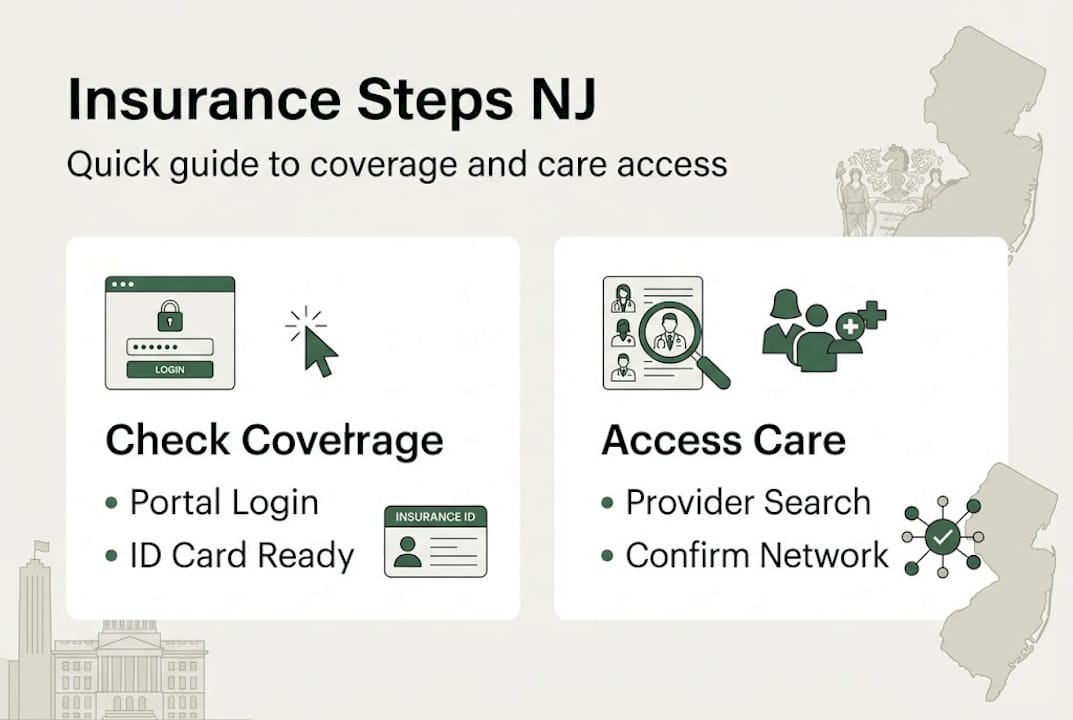
- Log into your member portal or app. Go to your insurer's website or download their app. If you're new, register using your member ID and date of birth. Aetna, Horizon, and UHC all have straightforward registration processes.
- Locate your benefits summary. Once logged in, look for a section labeled "My Benefits" or "Coverage Details." This tells you what services are covered, your deductible, copays, and out-of-pocket maximum.
- Check your ID card and network status. Download or view your current insurance ID card. Confirm your plan name and network tier, since this affects which doctors you can see at the lowest cost.
- Review your renewal or enrollment dates. Look for an "Enrollment" or "Plan Details" section to confirm your coverage start and end dates.
- If you have Medicaid (NJ FamilyCare), log into the NJ FamilyCare portal or call your managed care organization (MCO) directly. Your MCO handles specific benefits like behavioral health and long-term care.
- For Marketplace plans, use GetCoveredNJ to check enrollment status, update your information, or apply for a special enrollment period.
- Call member services for complex questions. If you're enrolled in MLTSS (Managed Long Term Services and Supports) or need behavioral health clarification, a phone call to your MCO is faster and more reliable than navigating the portal alone.
You can also check insurance through member portals, apps, or by calling member services directly from your smartphone.
| Situation | Best Method | Contact |
|---|---|---|
| Active employer plan | Insurer portal or HR | HR department or insurer website |
| Medicaid (NJ FamilyCare) | NJ FamilyCare portal or MCO | 1-800-701-0710 (NJ FamilyCare) |
| Marketplace plan | GetCoveredNJ portal | 1-833-677-1010 |
| Medicare | Medicare.gov or plan portal | 1-800-MEDICARE |
Pro Tip: Screenshot or save a PDF of your benefits summary after logging in. If there's ever a billing dispute, having a dated copy of your coverage details is very helpful.
For a broader look at how care works in NJ or to explore Medicare options for NJ, those resources can give you additional context for your specific situation.
Finding in-network primary care: Tools, tips, and local resources
Once you know your coverage, the next vital step is finding a doctor who actually takes your insurance. Being "in-network" means your insurer has a contract with that provider, which results in lower costs for you. Going out-of-network can mean paying significantly more, or in some cases, paying the full cost yourself.
Here's how to find in-network primary care providers in North Bergen and Secaucus:
- Use your insurer's provider search tool. Log into your portal and search by zip code, specialty, and plan type. Filter for "Primary Care" and look for providers accepting new patients.
- Verify directly with the office. Online directories are not always current. Confirm with the provider directly as directories may not be up to date.
- Check for network tiers. Horizon Blue Cross Blue Shield uses an OMNIA tiered network. Tier 1 providers cost less than Tier 2, so knowing the tier matters for your budget.
- Look for 'accepting new patients' status. Some directories include this filter. If not, a quick phone call to the office confirms it.
- Ask about Hudson Regional Hospital affiliations. If you want your primary care doctor to have privileges at a nearby hospital, ask the office directly which hospitals they're affiliated with.
"Always use your insurer's provider search tool as a starting point, but call the office to confirm current network status and availability. Directories can lag behind real-world changes by weeks or even months."
If a provider isn't listed in your insurer's directory, don't assume they're out-of-network. They may have recently joined the network and the directory hasn't updated yet. Calling both the insurer and the provider's office is the most reliable way to confirm.
Pro Tip: When you call a provider's office, ask three things: Are you in-network with my plan? Are you accepting new patients? And do you have availability for a new patient appointment within the next few weeks?

For residents ready to schedule, explore primary care in North Bergen or Secaucus primary care options. If you're managing a long-term health condition, the chronic care management guide is also worth reviewing.
Renewing, updating, and troubleshooting insurance coverage
Even with everything in order, coverage isn't a "set it and forget it" situation. Here's what you need to maintain it.
Insurance coverage must be renewed annually, and failing to act during your renewal window can result in a lapse. Coverage must be renewed annually and your information must stay current to avoid gaps in your benefits.
Here's how to stay on top of renewals and changes:
- Watch for renewal notices. Your insurer or NJ FamilyCare will send a notice by mail or email before your renewal date. Don't ignore these.
- Report life changes promptly. A new address, change in income, marriage, or the birth of a child all affect your eligibility and plan options. Report changes through your insurer's portal or via GetCoveredNJ.
- Handle denied claims carefully. If a claim is denied, request a written explanation. You have the right to appeal. Contact your insurer's member services for the appeals process.
- If your coverage lapses, check whether you qualify for a Special Enrollment Period (SEP) through GetCoveredNJ. You may also qualify for emergency Medicaid depending on your situation.
- Look into financial help. 9 out of 10 GetCoveredNJ enrollees qualify for financial assistance. If you're paying full price, it's worth checking whether you're leaving money on the table.
Common reasons coverage lapses or gets disrupted:
- Missed renewal deadline
- Unreported income or address change
- Premium payment missed
- Employer plan ended due to job change
For more context on what primary care services can do for your family once your coverage is confirmed, the guide on primary care services covers what to expect at every stage.
A local perspective: What most insurance guides miss for NJ residents
With the technical steps covered, let's look at the real-world lessons most guides never mention. Digital directories are a useful starting point, but in a fast-changing local healthcare environment like Hudson County, they often lag behind reality. A provider can join or leave a network, and the online directory might not reflect that for weeks.
The residents who avoid the most billing surprises are the ones who pick up the phone. Calling both your insurer and the provider's office before an appointment takes five minutes and can save you hundreds of dollars. We've seen patients assume their doctor was in-network based on an online search, only to receive an out-of-network bill afterward.
Local knowledge also matters. Some in-network providers in North Bergen and Secaucus don't appear prominently in online searches but offer excellent care and shorter wait times. Confirm with your insurer and provider directly rather than relying solely on directories. And if you're ever unsure whether you need primary care or something more urgent, understanding the difference between urgent and primary care can help you make the right call.
Connect with primary care services in North Bergen and Secaucus
Now that you have the tools to verify your coverage and find in-network care, the next step is putting that knowledge to work. Garden State Medical Group offers primary care services at both our North Bergen and Secaucus locations, and our team is here to help make your first visit as smooth as possible.
We confirm insurance details before your appointment so there are no surprises at check-in. Whether you're a new patient or returning for ongoing care, our staff can verify your in-network status and walk you through your coverage. Visit our North Bergen office or our Secaucus office to learn more and schedule your visit today.
Frequently asked questions
How do I find out if my doctor is in-network?
Use your insurer's provider search tool and then call the doctor's office directly to confirm they are in your network and currently accepting new patients.
How do I check if my coverage is active?
Log into your insurer's member portal or app to see your current coverage status, or call member services if you prefer to speak with someone directly.
Where can I see what services are covered by my insurance?
Your plan's benefits summary is available in your insurer's portal or app. You can also view plan benefits or call member services for a full explanation of what your plan includes.
What should I do if I lost insurance coverage?
Report your change in status and apply through GetCoveredNJ or NJ FamilyCare right away to minimize any gap in coverage and check whether you qualify for a Special Enrollment Period or financial assistance.